
Import sessions
If you’re coming from another tool or already track your hosts somewhere, you can bulk-import them into TermZ from a JSON file — no retyping.
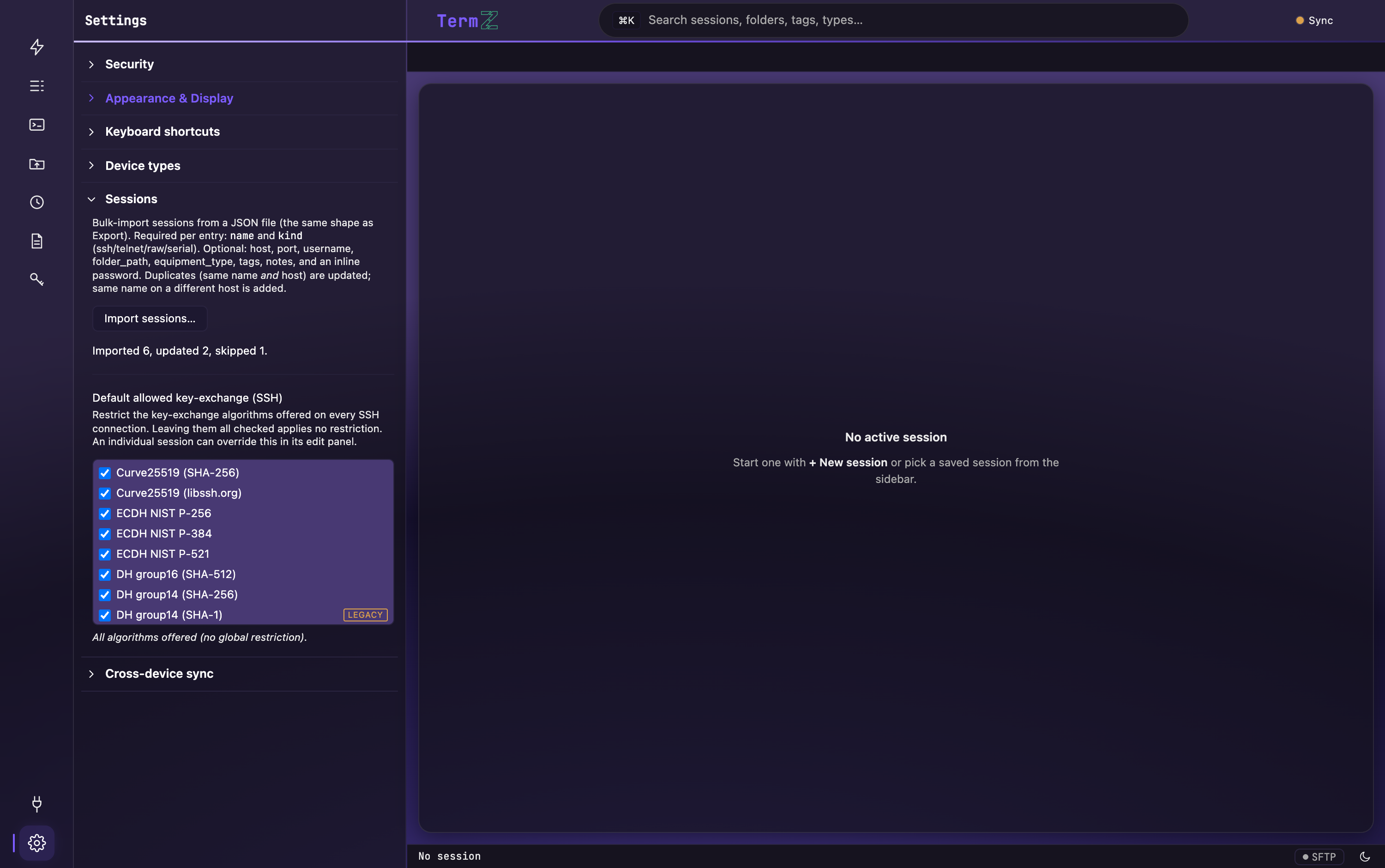
Import a file
Section titled “Import a file”- Open Settings (the gear in the activity rail, or ⌘/Ctrl+,).
- Expand the Sessions section and click Import sessions….
- Choose your
.jsonfile. TermZ parses it and shows a result summary — “Imported X, updated Y” — plus any per-row errors.
How duplicates are handled
Section titled “How duplicates are handled”- Same name + host as an existing session → that session is updated.
- Same name on a different host → added as a new session.
File format
Section titled “File format”TermZ accepts either an envelope or a bare array.
{ "version": 1, "exported_at": "2026-07-09T12:00:00Z", "sessions": [ { "name": "core-rtr-01", "host": "10.0.4.1", "kind": "ssh", "username": "netadmin" } ]}[ { "name": "core-rtr-01", "host": "10.0.4.1", "kind": "ssh", "username": "netadmin" }]Session fields
Section titled “Session fields”Only name is required. Everything else is optional.
| Field | Type | Notes |
|---|---|---|
name |
string | Required. Display name (also used for dedup). |
kind |
string | ssh (default), telnet, raw, serial, or local. Case-insensitive. |
host |
string | Hostname or IP. Used with name for dedup. |
port |
number | Defaults per protocol (SSH 22, Telnet 23, …). |
username |
string | Login user. |
auth_method |
string | Password, PublicKey, or Agent. |
aux |
string | Key-file path (for PublicKey) or serial-config JSON (for serial). |
folder_path |
string | POSIX-style, e.g. /Datacenter/Core. Missing folders are auto-created. |
equipment_type |
string | Device type label (router, switch, …); custom types allowed. |
tags |
string[] | Freeform labels. |
notes |
string | Freeform notes. |
password |
string | Inline secret — encrypted into the vault on import and never re-exported. |
credential |
string | Name of an existing stored credential to link — a saved password or an SSH key. An unknown name makes that row error. |
Two ways to attach a secret
Section titled “Two ways to attach a secret”password— an inline secret. It’s written into the encrypted vault on import; it is never included when you export.credential— the name of a credential already in your vault (see Named credentials) — either a saved password or an imported SSH key. The session links to it by reference, so rotating that credential updates every session that uses it. If the name doesn’t exist yet, that row fails — create the credential first, or usepassword.
Example with everything
Section titled “Example with everything”{ "version": 1, "sessions": [ { "name": "dist-sw-04", "host": "10.0.8.4", "kind": "ssh", "port": 22, "username": "netadmin", "auth_method": "PublicKey", "aux": "~/.ssh/id_ed25519", "folder_path": "/Datacenter/East", "equipment_type": "switch", "tags": ["prod", "core"], "notes": "Aggregation switch", "credential": "netadmin-prod" } ]}Generating the file from a spreadsheet
Section titled “Generating the file from a spreadsheet”If your inventory lives in a CSV/spreadsheet, you don’t have to hand-write JSON — see Bulk import from a CSV for a helper that converts a device list into exactly this format.
Round-trip
Section titled “Round-trip”To move sessions out of TermZ (metadata only, no secrets), see Export sessions.