
Command bar & find
Command bar
Section titled “Command bar”Press ⌘/Ctrl+K to open the command bar — a quick switcher for jumping to any saved session, view, or action without reaching for the mouse.
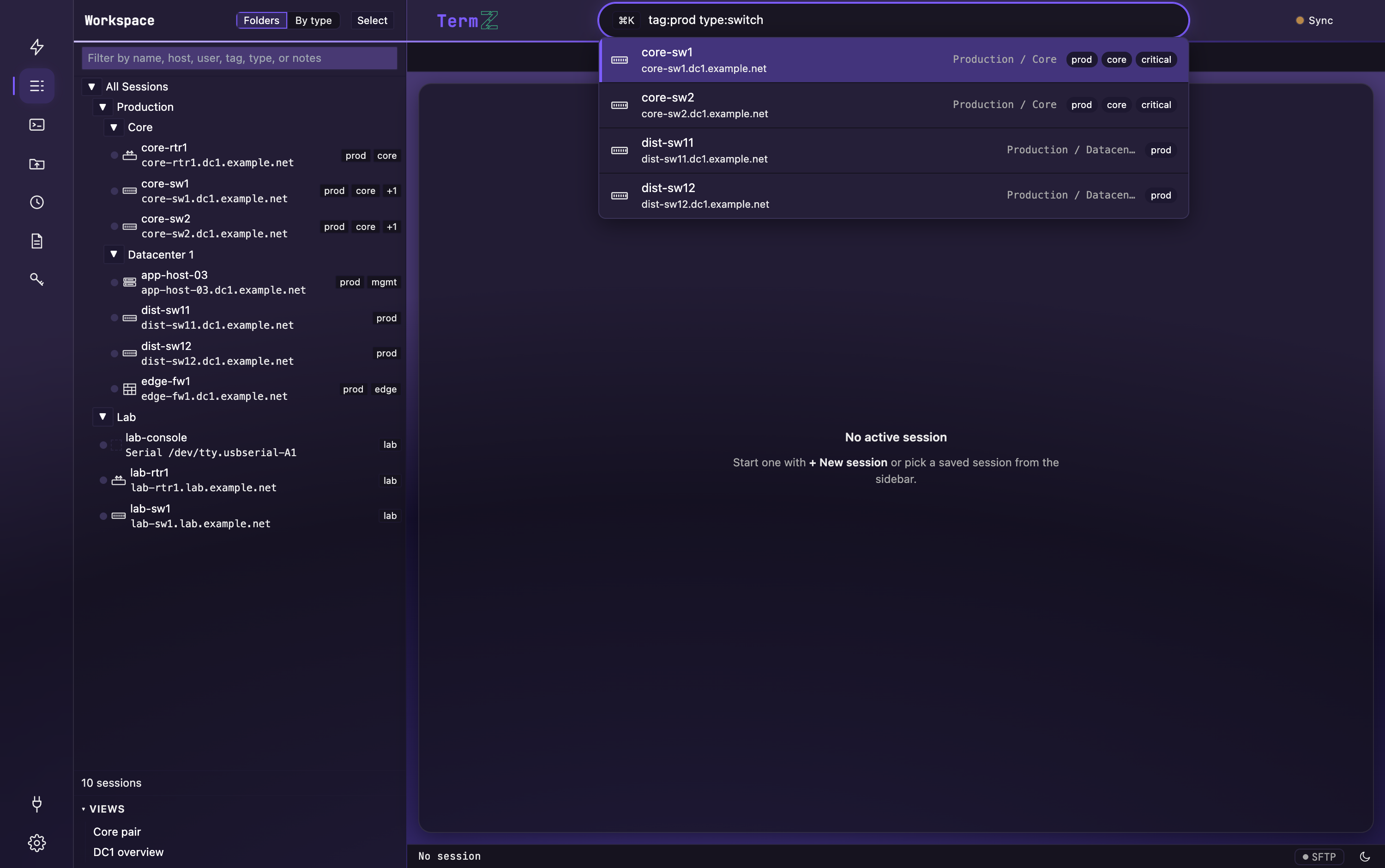
Plain words match session names and hosts. You can also narrow with a filter syntax:
| Filter | Matches |
|---|---|
user: |
sessions with that username |
port: |
a specific port |
tag: |
a tag label |
type: |
an equipment type |
Combine filters to zero in fast — for example, tag:prod type:switch finds every
production switch.
Find in terminal
Section titled “Find in terminal”Press ⌘/Ctrl+F to search the current terminal’s scrollback. Matches are highlighted and counted as you type.
- Enter — jump to the next match.
- Shift+Enter — jump to the previous match.
- Toggle case-sensitivity or regular-expression matching.
- Esc — close the find bar.